


Write It! Japanese
4.71.70K Reviews
App Specs
- Version
- 4.6.2
- Updated On
- License
- Free
- Downloads
- 1,000,000+
- Developer
- Jernung
- Categories
- Educational
- Platform
- Android
Screenshots
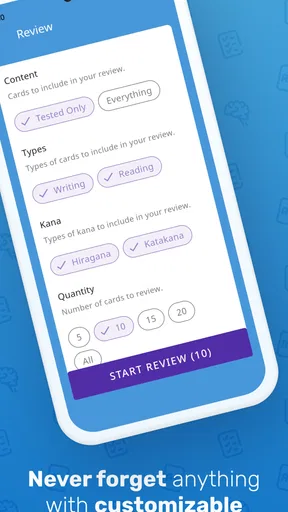

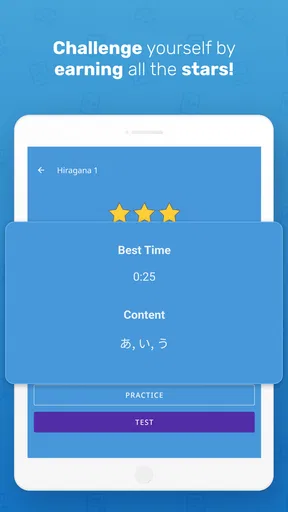
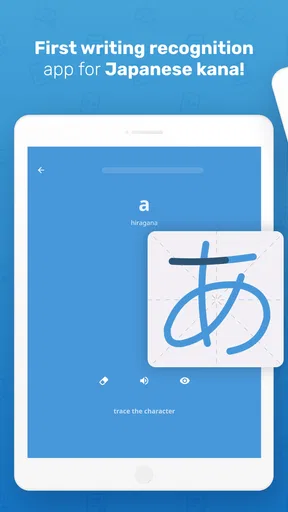
 Analysis by AppCompare
I like learning tools that make me do something rather than scroll through explanations, and that is where Write It! Japanese has a clear purpose. It is an educational game from Jernung built around writing Japanese characters, so it suits a learner who wants to get comfortable forming hiragana and katakana, not someone expecting a complete course in conversation, grammar, or listening. I’d treat it as a focused practice companion: useful for building a basic writing habit, but best paired with other study when your goals go beyond the scripts.
A useful starting point
The first decision is simple: give this game a short, regular place in your study routine rather than expecting one long session to make the characters stick. I would work through a small batch, pay attention to how each symbol is formed, then revisit the ones that still feel easy to confuse. That approach keeps practice manageable and gives your memory a chance to do some work between sessions.
A realistic routine might be a few minutes while waiting for a bus or before opening a textbook. I’d practise a handful of characters, close the game, and later try to recall their shapes without looking. That second step matters: recognising a symbol on screen is not the same as remembering how to write it. The game’s handwriting focus gives you a concrete action to practise, while a notebook or blank page can help check whether the memory holds away from the prompt.
For a complete beginner, starting with hiragana is a sensible way to build familiarity with one script before adding another. Once the basic shapes stop feeling unfamiliar, katakana practice can help prevent the two sets from becoming a blur. I would not rush through simply to unlock or finish material; slowing down on lookalike characters is more useful than collecting a quick run of correct answers.
How I’d shape practice
Before settling into a routine, I’d check the available settings and controls on the device. The most useful choice is whichever makes the writing area comfortable to use and lets you concentrate on the character rather than fighting the screen. If you usually study one-handed, try a short session that way; if your finger obscures the strokes, switch to a larger, steadier posture. Small adjustments can make handwriting practice feel less awkward without changing what the game teaches.
I’d also decide in advance what counts as a good session. For example, choose a few characters that caused hesitation yesterday, practise them, and stop once you can reproduce them with reasonable confidence. This is more reliable than staying in the game until you feel vaguely familiar with everything. A quick note of troublesome shapes in a paper notebook can make the next session purposeful, especially if you tend to forget which characters you meant to review.
Some learners may prefer the phone’s standard text input or a flashcard app because those make recognition and recall quick. Those are useful alternatives, but they do not ask for the same physical act of forming a character. I see the handwriting approach as a complement rather than a replacement: use Write It! Japanese to focus on shape and writing, then use reading material or flashcards to meet the same characters in different contexts. That mix helps avoid learning a character only in the exact screen and sequence where it first appeared.
Worth Reading Before You Choose

EA SPORTS FC Mobile 26 Is a Bigger Football Game, but It Takes Time

Flipboard Shows What News Apps Must Do Beyond the Feed

Switching to Android Auto Means Rethinking Your Driving Routine

Google Calendar Makes a Crowded Week Easier to Manage

Ludo King Makes the Most of the Minutes Between Plans

Baby Panda World Brings Quick Play to Modern Phones, but Its Game Library Feels Busy
Building a repeatable habit
The game makes the most sense when I use it in short, repeatable bursts. One pattern is to practise new characters, then return to a few difficult ones at the next opportunity. Another is to alternate scripts across separate sessions instead of switching constantly while still learning their basic forms. These are study choices rather than special features, but they make it easier to notice whether I’m improving or merely tapping through familiar prompts.
A useful test is to write a few learned characters from memory on paper after a session. If the shapes are unclear, I’d go back and practise those rather than moving on just because the game has presented them. I would also say the character aloud when I know its sound, or pair it with an example from another study resource. This keeps writing connected to recognition and pronunciation without assuming that handwriting practice alone will teach the whole language.
People often ask whether a dedicated character game is enough for Japanese. For learning the written forms of hiragana and katakana, it can be a helpful starting point; for vocabulary depth, sentence building, grammar, and conversation, it is only one part of a broader plan. If you want a course that guides you through all those areas in one place, a more comprehensive language-learning option will be a better fit. If writing the scripts is the main hurdle, a focused tool can be easier to return to than a large course with many competing lessons.
Where the focus has limits
The narrow focus is also the main trade-off. Learning to trace or reproduce a character does not automatically mean you can recognise it quickly in a line of text, remember its sound, or understand a word containing it. I would pair each practice session with some reading appropriate to your level, even if that means simply reviewing characters in a separate resource. That extra context is what helps turn isolated shapes into useful parts of Japanese.
Handwriting on a phone is not identical to writing with a pen, either. A finger or stylus can help you learn stroke direction and shape, but it will not teach the feel of controlling a brush or pencil on paper. If your goal includes neat handwritten notes, spend some time practising on paper too. Conversely, if you only need to recognise characters while reading, a flashcard or reading-focused tool may suit you better and take less effort.
I would not choose this as my only study option if I needed a structured path toward speaking Japanese, or if I already knew both scripts and wanted advanced reading practice. It is also not a substitute for a teacher when you need individual feedback on broader language questions. Its value is clearest when the task is specific: getting more familiar with the forms of hiragana and katakana through active practice.
What to expect from the game
Write It! Japanese has a 4.7 average from around 42,000 ratings, and it has passed one million installs. Those figures suggest that many learners have tried it, but they do not tell me whether its focused approach matches an individual study goal. The game is free to download, with in-app purchases ranging from $4.99 to $59.99 per item, so I’d check what an optional purchase covers before paying and start by deciding whether the basic practice fits my routine.
It is rated for everyone and was released on October 2, 2016. The current version is 4.6.2, and it requires Android 6.0 or later. Those details make it straightforward to check whether it is suitable for your device and household, but the more important question is whether you want a character-writing activity or a full language course. I would not assume that the price range means a particular feature is necessary; judge any purchase by whether it solves a real gap in your own practice.
The original appeal for me remains practical: this is a game with a clear educational aim, and its handwriting emphasis gives beginner study a more active feel than simply looking at a chart. I would use it to establish the shapes, revisit difficult characters, and then test myself in writing or reading outside the app. That is a modest but useful role, and keeping the role clear prevents disappointment.
First impressions
The user interface is clean and intuitive. I was greeted with a simple, yet engaging layout that made navigation a piece of cake. The app doesn't bombard you with ads or unnecessary pop-ups, which is a relief. It feels like the developers put a lot of thought into creating a distraction-free learning environment.
The learning modules
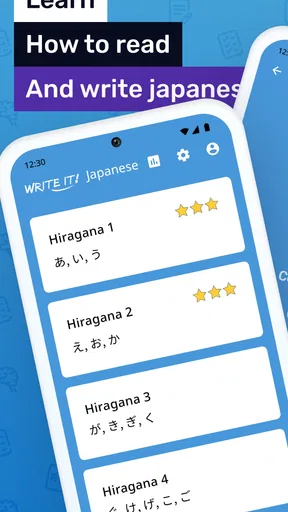
The app is structured in a series of modules, each focusing on different aspects of the Japanese language. You start with the basics: Hiragana and Katakana. What I loved is that the app uses a combination of visual and interactive techniques to teach you each character. Writing practice forms a core part of the experience, and it’s incredibly satisfying to see your progress as you master each character.
And it's not just about memorizing characters. The app also integrates vocabulary and pronunciation practice. You can hear native speakers pronounce each word, which is crucial for getting that authentic Japanese sound. The audio quality is top-notch, making it a joy to listen and repeat after the speakers.
Interactive features
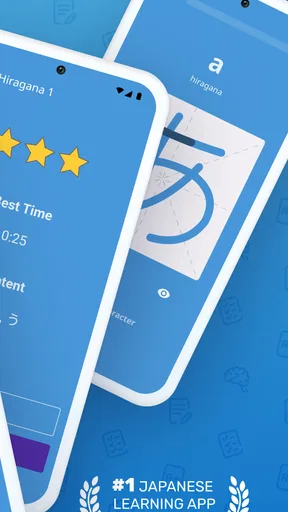
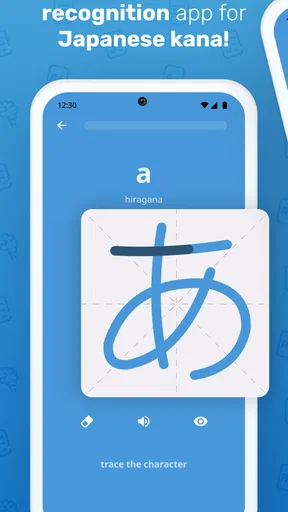
One of my favorite features is the stroke order guide. It’s like having a virtual teacher guiding your hand. The app shows you the correct way to write each character, stroke by stroke, ensuring you develop proper writing habits from the start.
Another cool feature is the quiz section. After you feel confident with a set of characters, you can test yourself with a variety of quizzes. This not only reinforces what you’ve learned but also keeps you motivated to keep pushing forward.
Progress tracking
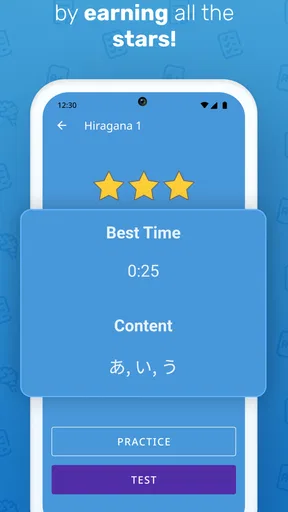
The app includes a progress tracker, which I found incredibly motivating. It shows you how much you’ve learned and what areas you need to focus on. It's like having a personal coach cheering you on every step of the way. You can even set daily goals, which is great for keeping yourself accountable.
Community and support
Though the app is primarily self-guided, there’s a strong sense of community. You can connect with other learners through forums and share tips or ask questions. The developers are quite responsive too, regularly updating the app and adding new content based on user feedback.
There’s also a handy support section if you ever run into any issues. The FAQs and support articles are detailed and cover most of the common questions you might have.
A final judgement
In my opinion, Write It! Japanese is a fantastic tool for anyone serious about learning Japanese. It’s well-organized, easy to use, and genuinely effective at helping you learn to read and write in Japanese. Whether you’re a complete beginner or looking to brush up on your skills, this app offers something for everyone.
In the sea of language apps, Write It! Japanese stands out by focusing on practical writing skills and engaging learning methods. So, if you're ready to take your Japanese learning journey to the next level, this app is definitely worth checking out!
Pros
- Interactive lessons enhance learning.
- User-friendly interface for beginners.
- Offline mode available for practice.
- Gamified elements make it engaging.
- Clear audio pronunciation aids understanding.
Cons
- Limited free content without subscription.
- Ads can interrupt learning flow.
- Some features require internet.
- Occasional app crashes reported.
- Limited advanced content for experts.
FAQs for Write It! Japanese
What is Write It! Japanese and how does it work?
Write It! Japanese is an educational app designed to help users learn to read and write Japanese characters, including Hiragana and Katakana. The app provides a hands-on approach with interactive exercises that guide users through each stroke, offering immediate feedback to ensure accuracy and retention. It’s suitable for beginners and those looking to refine their skills.
Is Write It! Japanese suitable for complete beginners?
Yes, Write It! Japanese is tailored for beginners. The app starts with the basics, introducing users to the fundamental characters of the Japanese writing system. It employs a step-by-step method, ensuring that users build a solid foundation before moving on to more advanced lessons. This makes it ideal for those with no prior knowledge of Japanese.
Does the app require an internet connection to function?
No, Write It! Japanese does not require an internet connection to access its core features. Once downloaded, users can engage with the lessons and exercises offline, making it convenient for learning on the go. However, some features, such as updates or additional resources, might require internet access.
Are there any additional costs associated with Write It! Japanese?
While Write It! Japanese offers a free version with essential features, there may be in-app purchases available for users who wish to unlock advanced lessons or remove ads. These purchases are optional, allowing users to choose whether they want to enhance their learning experience with premium content.
What devices are compatible with Write It! Japanese?
Write It! Japanese is available for both Android and iOS devices. It requires a minimum operating system version, which is typically specified on the app's download page. This ensures smooth performance and access to all features. Users should check compatibility with their device before downloading.


